Product Synchronization
Product synchronization is the process of uploading your Shopify product catalog to Particular Audience's Discovery OS platform. This guide explains how to perform initial and ongoing synchronization.
Overview
Product synchronization:
- Extracts product data from your Shopify store
- Transforms data according to your field configurations
- Uploads data to Particular Audience's product index
- Maintains data freshness through webhooks and manual syncs
Performing a Product Sync
Accessing Sync
- Navigate to the app home page
- Click the Sync Products button
Sync Process
When you click Sync Products:
- Initialization: The sync job is created and queued
- Extraction: Products are fetched from Shopify GraphQL API
- Transformation: Products are processed according to field configurations
- Validation: Data is validated before upload
- Upload: Transformed data is sent to Particular Audience
- Completion: Sync status is updated
Monitoring Sync Progress
During synchronization, the Products card displays:
- Status: Current sync state (In Progress, Success, Failed)
- Progress: Number of products processed
- Start Time: When the sync began
Sync Duration
Sync duration depends on:
- Catalog Size: Number of products and variants
- Field Complexity: Number of configured fields and JSON processing
- API Rate Limits: Shopify API throttling
- Network Conditions: Connection speed and stability
Large Catalogs
For very large catalogs, the sync may take several hours. The sync continues in the background, and you can close the browser window without interrupting the process.
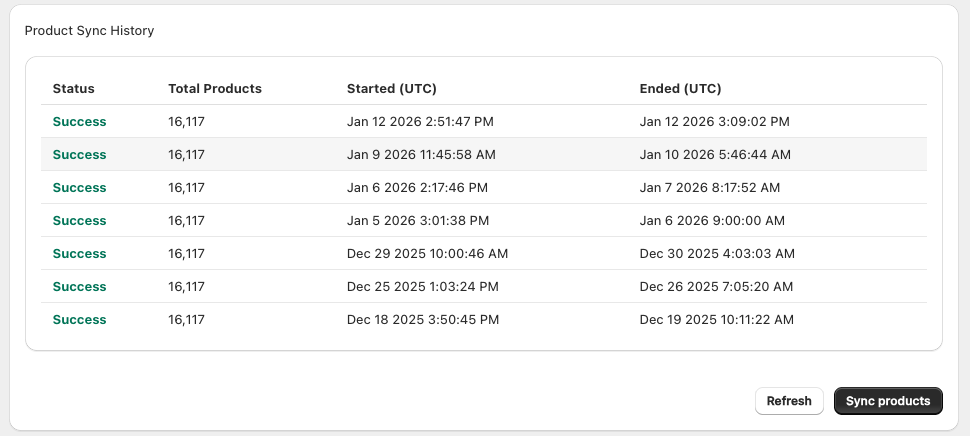
Sync History
Sync History Information
Each sync entry shows:
| Field | Description |
|---|---|
| Status | Success, Failed, or In Progress |
| Total Products | Number of products processed |
| Start Time | When the sync began |
| End Time | When the sync completed |
When to Perform Manual Sync
Required Manual Syncs
-
Field Configuration Changes:
- Adding new fields
- Modifying JSON processing
- Changing field types
- Activating/deactivating fields
-
Status Configuration Changes:
- Modifying availability criteria
- Changing inventory rules
-
Initial Setup:
- After First-time configuration